8 Best Minecraft Seeds Switch 2 Players Need (2026)
Minecraft’s native Nintendo Switch 2 version launches on October 27, and one question is already everywhere: will your seeds still work? The short answer is yes — minecraft seeds switch 2 players use are the same Bedrock seeds as before, because the Switch 2 version runs on the Bedrock codebase. Every seed below was tested on Bedrock and works on Switch 2 from day one.
This guide gives you 8 hand-picked seeds you can enter the moment the native version drops — villages at spawn, ocean monuments, ancient cities, and more, all with coordinates. (Looking for the original Switch list? See our Minecraft seeds for Switch guide.)
Will My Switch Seeds Work on Switch 2?
Yes. Every Minecraft seed that works on the original Switch works on Switch 2. The native Switch 2 version of Minecraft is built on the Bedrock codebase — the same engine that powers Minecraft on Switch, Xbox, PlayStation, and mobile. Bedrock seeds use the same 32-bit generation system on every platform, so a seed that generates a village at spawn on Switch generates the identical village at spawn on Switch 2.
There are two things worth knowing about minecraft seeds switch 2 compatibility:
- Your existing Switch worlds transfer. If you already have worlds on Switch, they carry over — seeds included.
- Version matters more than hardware. Seeds are version-sensitive, not device-sensitive. All 8 minecraft seeds switch 2 players get below are tested on recent Bedrock (26.x), so they generate exactly as described on the Switch 2 launch version.
The bottom line: you do not need “new” seeds for Switch 2. You need Bedrock seeds — and that is exactly what this list is.
8 Best Minecraft Seeds for Switch 2
Every seed below is a Bedrock seed verified to work on Switch 2. Enter the number exactly as shown when creating a new world.
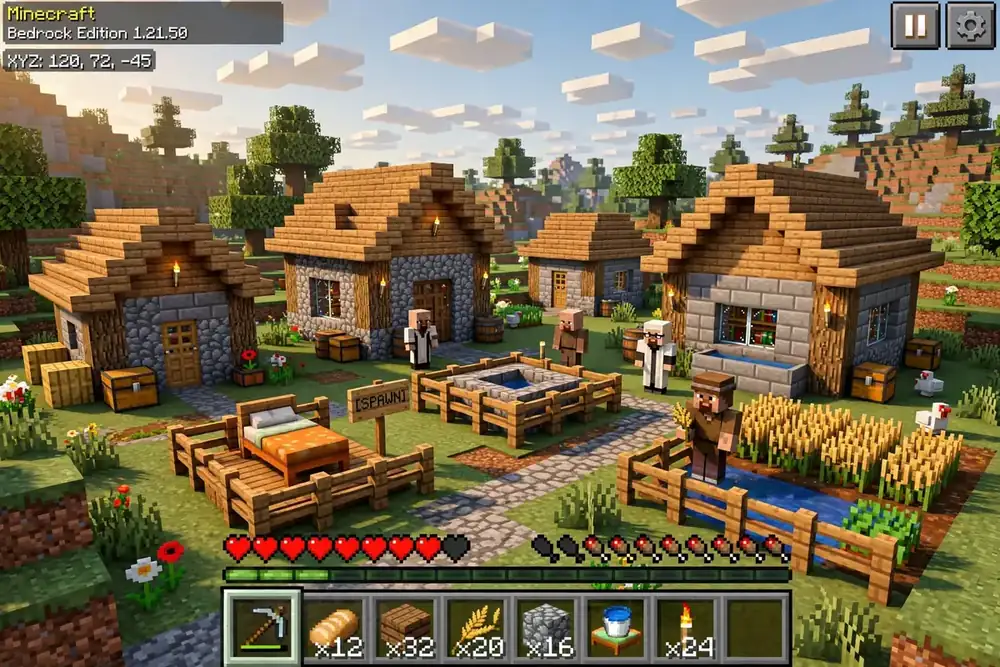
1. Village at Spawn + Ocean Monument — Seed 458
The perfect starter. You spawn next to a village (~25 blocks), with an ocean monument (~220 blocks), a shipwreck (~261 blocks), and a ruined portal (~274 blocks) all within easy reach. One of the most balanced minecraft seeds switch 2 beginners can pick — loot, trading, and building spots without the early-game grind.
2. Island Explorer — Seed 3194
Spawn near a village (~11 blocks) on a world with 32.8% ocean coverage. Shipwreck (~132 blocks), ruined portal (~147 blocks), and ocean monument (~299 blocks) make this ideal for players who want water gameplay. This one rewards anyone willing to build a boat early.
3. Stronghold Rush — Seed 2453
A stronghold only ~88 blocks from spawn — one of the closest stronghold spawns on Bedrock. Add a village (~82 blocks), shipwreck (~82 blocks), ruined portal (~255 blocks), and ocean monument (~314 blocks), and you have a speedrunner-friendly world. If you want to reach the End fast on Switch 2, start here.
4. Ancient City Nearby — Seed 2918
An ancient city ~61 blocks from spawn puts the deep dark within walking distance. With a village (~124 blocks), ruined portal (~269 blocks), and pillager outpost (~326 blocks) nearby, this is one of the most adventure-dense minecraft seeds switch 2 players can try.
5. Witch Hut Swamp — Seed 1669
Spawn close to a witch hut (~88 blocks) in classic swamp terrain, with a village (~188 blocks) and ruined portal (~362 blocks) backing it up. Among minecraft seeds switch 2 players pick for atmosphere, this one’s moody swamp base potential is hard to beat.
6. Woodland Mansion Hunt — Seed 3175
Woodland mansions are rare on Bedrock — this seed puts one ~726 blocks out, with a village (~170 blocks) and shipwreck (~319 blocks) to sustain you on the journey. At 31.3% ocean, the voyage there is half the fun. A must-try for collectors.
7. Coral Reef Paradise — Seed 90
Warm ocean (6.5%) with coral reefs near spawn, plus a ruined portal (~107 blocks), village (~136 blocks), shipwreck (~344 blocks), and stronghold (~754 blocks). The prettiest pick for builders — tropical water, vibrant blocks, screenshot-worthy terrain.
8. Ocean World Challenge — Seed 1928
At 54.9% ocean, this is the survival challenge pick. Ruined portal ~11 blocks from spawn gives you instant Nether access; village (~297 blocks), shipwreck (~376 blocks), and ocean monument (~419 blocks) give you goals. For hardcore Switch 2 players who want Bedrock to fight back.
How to Enter a Seed on Switch 2
Entering seeds on Switch 2 is identical to the original Switch — here is the exact process for minecraft seeds switch 2 players will follow on launch day:
- From the main menu, tap Play → Create New World → Create New World.
- Scroll to the Seed field under World Settings.
- Type the seed number exactly (e.g.
458). - Leave everything else default unless you want a specific mode.
- Tap Create — the world generates with that seed.
Tip: Seeds are locked at world creation and cannot be changed later. Double-check the number before you tap Create. To find the seed of an existing world, open Settings → Game inside the world and scroll to the Seed field. (New to seeds entirely? Our What Is a Minecraft Seed guide explains the basics.)
Switch 2 vs Switch: What Changes for Seeds?
Almost nothing — and that is good news. Here is the honest breakdown:
| Original Switch | Switch 2 (native) | |
|---|---|---|
| Codebase | Bedrock | Bedrock |
| Seed format | 32-bit numbers | 32-bit numbers |
| Seed compatibility | Bedrock seeds | Same Bedrock seeds |
| World transfer | — | Existing worlds carry over |
| Performance | 30fps typical | Higher frame rates, faster loading |
| Render distance | Limited | Larger render distance |
The Switch 2 advantages are performance, not generation: faster loading, smoother frame rates, and bigger render distances that let you actually see the structures your seed placed. The seeds themselves behave identically — which is why every seed on this list works on both. For the full technical background, see Minecraft Wiki’s Bedrock documentation.
One caution: if Mojang ever changes Bedrock world generation in a future update (as happened with the 1.18 terrain overhaul), seeds could shift. For the Switch 2 launch version, everything here is current.
FAQ
Common questions about minecraft seeds switch 2 compatibility, answered:
Final Word
The Switch 2 launch does not reset your seed library — it upgrades it. Same Bedrock seeds, same worlds, but faster loading and bigger render distances to enjoy them on. These 8 minecraft seeds switch 2 players start with cover every playstyle: builders, explorers, speedrunners, and survivalists.
Pick a seed, enter it on day one, and see what the new hardware does for a world you already know is great.